Productivity at work isn’t about quick bursts of effort—it’s built through hours of uninterrupted focus. Whether you’re writing, coding, designing, or solving complex problems, comfort plays a crucial role in maintaining that flow.
As more professionals prioritize long-term comfort, ergonomic keyboards have moved from niche accessories to essential tools. The keyboard you use directly affects your posture, wrist alignment, and overall strain throughout the day.
Designed specifically for modern work environments, the Razer Pro Type Ergo combines ergonomic support with performance, helping you stay comfortable, consistent, and efficient during long work sessions.
Table of Contents
ToggleThoughtful Design for Natural Movement
The difference an ergonomic keyboard makes often becomes obvious after a full day of use.
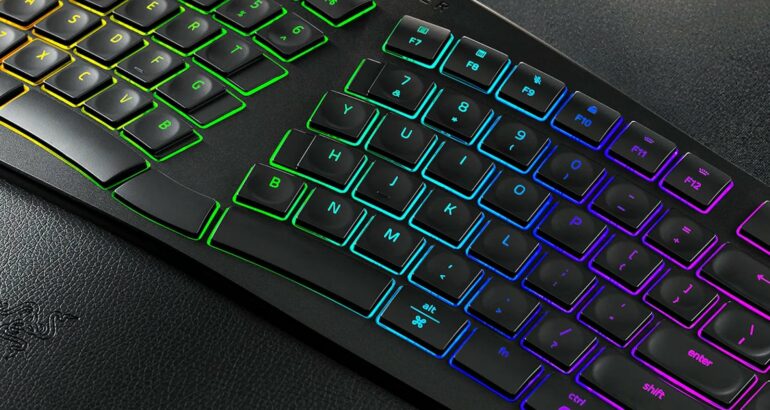
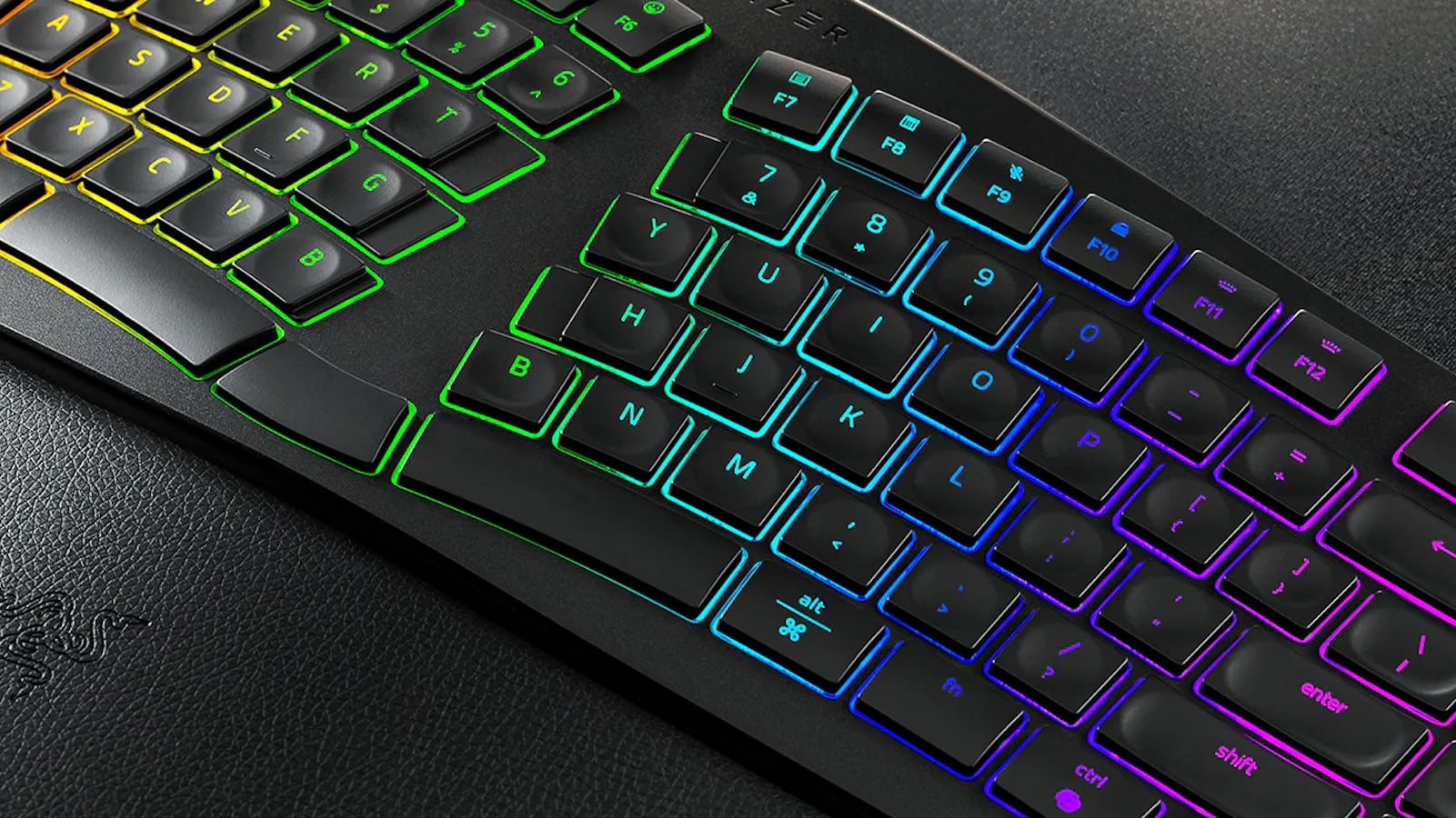
The Razer Pro Type Ergo features a split layout with a gentle curve that promotes a more natural hand position. Instead of forcing your wrists inward, it allows your hands to rest comfortably, reducing unnecessary strain and awkward stretching.
To further enhance flexibility, the keyboard includes a 10° fixed slope along with adjustable tilt options of 4° and 7°, making it easy to adapt to different desk setups—whether you’re sitting, standing, or switching between workspaces.
A built-in cushioned wrist rest adds another layer of support, helping reduce pressure on your forearms during extended use. Over time, these ergonomic adjustments can significantly improve comfort and reduce fatigue.
Designed for All-Day Typing Comfort
Typing isn’t just about speed—it’s about how effortless each keystroke feels over time.
This keyboard features ultra low-profile keys with shorter travel distance, minimizing finger movement and reducing strain during long typing sessions. The result is a smooth, consistent typing experience that doesn’t wear you down.
Each key is subtly shaped with spherical indents, guiding your fingers into position and improving accuracy without extra effort. Inside, sound-dampening layers and refined stabilizers ensure that every keystroke remains quiet and controlled—perfect for shared spaces, home offices, and virtual meetings.
The overall experience is calm and distraction-free, helping you stay in rhythm for longer periods.
A Layout That Works With You
Comfort alone isn’t enough—efficiency also depends on how easily you can access essential keys.
The Razer Pro Type Ergo introduces smart layout enhancements, including:
- Dual “B” keys
- Dual space bars
- Centrally positioned backspace
These small but impactful changes reduce unnecessary hand movement and make it easier to type naturally with both hands. Over time, they help maintain a steady workflow—especially during long writing sessions, coding tasks, or detailed editing.
By keeping frequently used keys within easy reach, the keyboard supports a smoother, more intuitive typing experience.
Smarter Controls for Seamless Workflow
Interruptions can break focus, even if they’re small. That’s why the Razer Pro Type Ergo includes built-in tools to keep your workflow uninterrupted.
It features:
- Five dedicated macro keys
- A mic mute button
- The Razer™ Command Dial
These controls are pre-configured for common functions like navigation, media control, and shortcuts across popular apps. For advanced users, they can be customized to suit specific workflows—whether that’s switching between applications, adjusting volume, or managing timelines.
The Command Dial supports up to eight functions and can be expanded to handle up to 100 custom actions, making it a powerful tool for automating repetitive tasks and boosting efficiency.
Built for Modern Work Environments
Today’s work setups are more flexible than ever—switching between home and office, meetings and deep work, creativity and execution.
The Razer Pro Type Ergo is designed to keep up with that dynamic lifestyle. As a wireless ergonomic keyboard, it offers:
- Comfortable, natural typing
- Quiet performance
- Customizable controls
- Seamless adaptability across work setups
Instead of forcing you to adjust to your tools, it adapts to how you work—helping you stay comfortable, focused, and productive from start to finish.
Final Thoughts
The Razer Pro Type Ergo isn’t just about typing—it’s about creating a workspace that supports your productivity without compromising comfort.
With its ergonomic design, refined typing experience, and intelligent controls, it’s built for professionals who spend long hours at their desk and want to perform at their best.
Upgrade your setup and experience a smarter, more comfortable way to work—because productivity should never come at the cost of comfort.